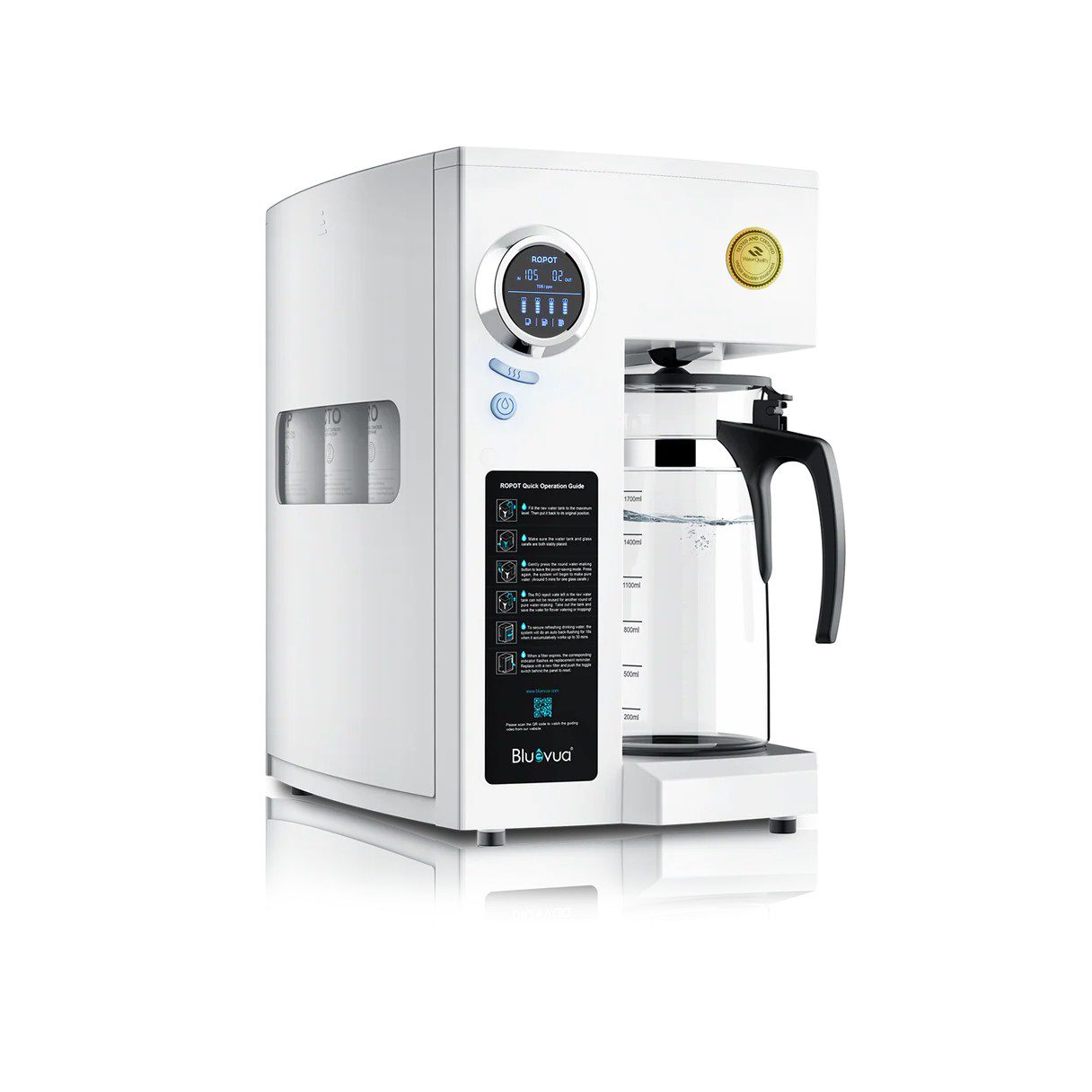
If you have been searching for ways to access cleaner drinking water without altering your kitchen plumbing, Bluevua water filter may have come up in your search results. It’s one of the more visible names in the “countertop reverse osmosis” category — the kind of water filter you plug in, fill up, and use immediately, no installation required.
But visibility doesn’t equal quality. For an in-depth comparison between Bluevua water filters and similar offerings such as AquaTru, this guide explains each Bluevua water filter’s exact purpose, how they operate and ownership costs; along with whether they compare favorably.
What Is a Bluevua Water Filter?
Bluevua is a water filtration brand built around one core product family: the RO100ROPOT line of countertop reverse osmosis systems. Instead of connecting to your under-sink plumbing, these units sit on your counter, get filled by hand, and filter water into a glass carafe using electric pump pressure.
That “no installation” design is the whole point. Reverse osmosis has traditionally required drilling into a sink, adding a dedicated faucet, and running a drain line — something that’s simply not an option for renters, or something many homeowners don’t want to commit to. Countertop bluevua water filter format solves that by keeping the entire system self-contained and portable.
Reverse osmosis has long been considered an efficient form of water filtration in homes. This technique works by forcing water through a semi-permeable membrane with pores small enough to filter out solids, heavy metals and chemical contaminants that carbon filters or pitcher filters cannot.
How Bluevua Water Filter System Works
Depending on the model, Bluevua water filter systems use between five and seven filtration stages. Here is the typical lineup:
- Sediment Pre-filter – Catch sand, rust and silt before they reach finer filters
- Carbon Block Filter (CBF) – Remove chlorine chloramine taste/odor compounds [carbon block filter and RO membrane].
- RO Membrane (the core stage), reduce lead arsenic fluoride PFAS microplastics
- Post-carbon polishing filter: Provides one last taste pass before water reaches the carafe
- Remineralization filter: Used to add calcium, magnesium and other essential minerals back into water for replenishing purposes;
- UV sterilization (available only with UV models): UV light with wavelength between 270-280nm targets bacteria and viruses for sterilization purposes.
Remineralizing water can make a substantial difference. Straight RO water tends to taste flat and almost distilled-like because its process strips away minerals along with contaminants. Several independent reviewers have noted this exact effect with Bluevua specifically — some testers find the taste clean and crisp, others describe it as a little too neutral. Adding minerals back in is Bluevua water filter way of correcting that, and it noticeably improves flavor for most people.
Bluevua water filter Model Lineup: What’s the Difference?
Bluevua sells four main configurations, split by household size and whether UV sterilization is included.
| Model | Stages | UV Sterilization | Best For | Approx. Price |
| ROPOT-Lite | 5-stage | No | 1–2 people | ~$369 |
| ROPOT-Lite (UV) | 7-stage | Yes | 1–2 people | ~$369–$389 |
| ROPOT | 5-stage | No | 3+ people | ~$434 |
| ROPOT (UV) | 6-stage | Yes | 3+ people | ~$454 |
If your water comes from municipal supplies and is predominantly composed of chlorine, lead and fluoride compounds, non-UV models should suffice. However, for well water sources or extra protection from bacteria or microorganisms requiring UV radiation treatment (like wells), UV variants might provide extra peace of mind and should be considered an investment worth making.
What Bluevua water filter Actually Removes
Bluevua water filter’s RO membrane has been rigorously tested to effectively filter out various contaminants, such as chlorine, lead, fluoride, arsenic, chromium, PFAS microplastics as well as pesticides and pharmaceuticals. Independent lab testing (using Tap Score-style water analysis) has generally confirmed strong reduction across most of these categories, particularly heavy metals and PFAS.
One thing worth knowing: in some independent tests, Bluevua water filter’s remineralization filter added back a smaller share of minerals compared to a few competing systems, meaning slightly more of the original mineral content stayed filtered out. That’s not necessarily a downside — some people prefer the cleaner, lower-mineral taste — but it’s a detail worth being aware of if a mineral-rich taste is a priority for you.
Certifications: What They Actually Mean
This is where Bluevua water filter story gets a little more nuanced, and it’s worth being upfront about it.
Bluevua water filter’s systems are WQA certified to NSF/ANSI/CAN 372 (confirming lead-free construction materials), and the RO membrane specifically is certified to NSF/ANSI 58, which is the standard that governs reverse osmosis contaminant reduction claims.
That’s a legitimate certification — but it’s narrower than what some competitors offer. AquaTru, for example, holds certifications across a broader stack of NSF/ANSI standards, verified through IAPMO, covering a longer list of specific contaminants with third-party validation. Bluevua’s certification depth is real, just not as extensive.
In practical terms: if certified proof of removal for a very specific contaminant list is your top priority, that’s a point in AquaTru’s favor. If you’re looking for solid, verified core RO performance at a lower price with extra features like UV and a glass carafe, Bluevua still holds up well.
Setting Up a Bluevua Water Filter
Setup is genuinely simple, and it’s one of the system’s strongest selling points:
- Place the unit on a stable countertop near an outlet
- Confirm the pre-installed filters are seated correctly
- Fill the reservoir with tap water
- Run 4–6 flush cycles without drinking the water, to clear manufacturing residue
- Attach the carafe and run a normal filtration cycle
- Check the TDS/monitor display to confirm water quality
- Start regular daily use
Most people finish the entire process, flush cycles included, in under 40 minutes. Several long-term users have reported the initial setup taking closer to 10 minutes once you skip overthinking it — the filters generally arrive pre-installed, so most of the “work” is just running the flush cycles.
3 Best Bluevua water filter Models
1. Bluevua ROPOT(UV) — Best Overall
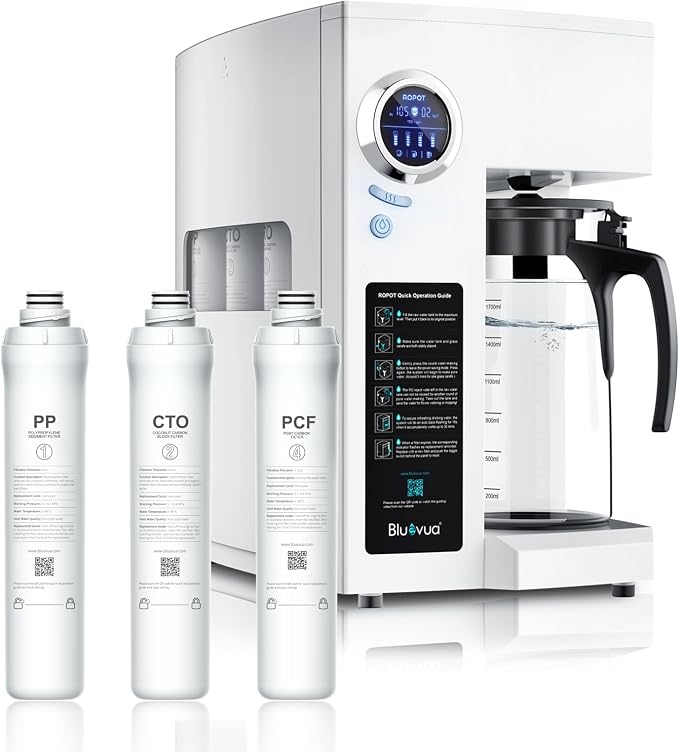
The ROPOT(UV) is the strongest overall option for a family.It utilizes a reverse-osmosis membrane with a thickness of just 0.0001mm and features a six-stage filtration system, including sediment filtration, activated carbon filtering, reverse osmosis membrane separation, RO, post carbon filtration, UV treatment and remineralization filtration.
A built-in UV light offers additional protection from microorganisms; while its remineralization filter adds minerals like calcium and magnesium back into your water supply. Furthermore, there’s also real-time TDS monitoring before and after filtration as well as filter life monitoring capabilities – perfect for home! Bluevua recommends it for families of 3 or more.
Best for: Families, maximum purification, and people who specifically want RO + UV + remineralization.
2. Bluevua ROPOT — Best Value
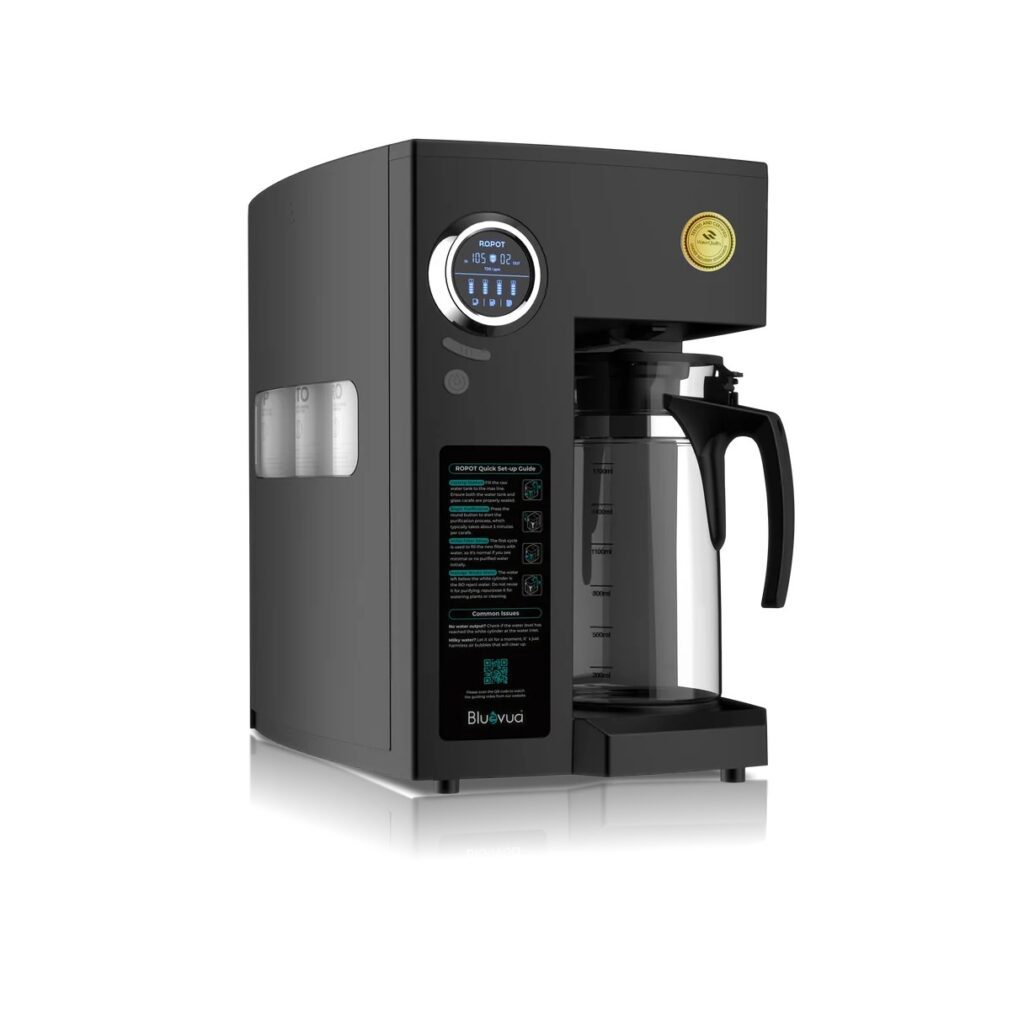
The ROPOT works similarly to its UV counterpart, except without UV light filtration. Instead it utilizes a 0.0001 mm RO membrane and 5-stage filtration system consisting of PP, CTO carbon filters, RO membrane, post carbon and remineralization filters as well as 60oz glass carafe with pre/post TDS monitoring and automatic rinsing functions. The system is designed for families of 3+ and the filters are rated for approximately 12–24 months, depending on usage and water quality.
Best for: Someone who wants excellent RO filtration and remineralization but doesn’t need UV, while saving some money compared with the ROPOT(UV).
3. Bluevua ROPOT-Lite(UV) — Best Compact
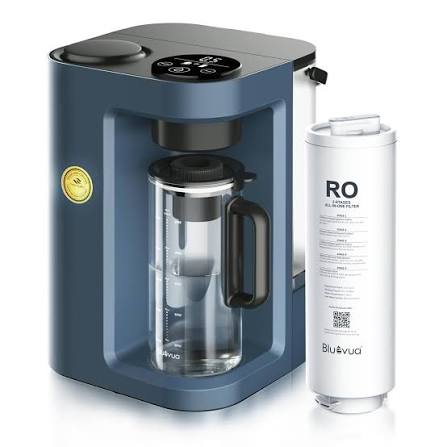
The ROPOT-Lite(UV) is ideal for one to two people and much smaller than regular ROPOT models, boasting a 40 oz glass carafe and featuring a compact seven-stage filtration system featuring PP filtration, activated carbon, fine PP filtration, RO membrane with microplastic removal technology and UV for microorganism protection – with real time TDS display and no permanent installation necessary.
Best for: Individuals/couples living alone/together in small kitchens looking for RO + UV technology in a smaller machine.
Maintenance and Real Cost of Ownership
Filter replacement schedules for Bluevua water filter systems typically look like this:
- Sediment, carbon, and remineralization filters: every 6–12 months
- RO membrane: every 12–24 months
Based on independent cost-per-gallon analysis, ongoing maintenance for a Bluevua water filter system comes out to roughly $0.27 per gallon — competitive with other countertop RO brands, and notably, filter replacement is fast, often taking around five minutes since the filters are positioned for easy side access.
One reviewer who used a Bluevua ROPOT-Lite for almost two years reported no significant performance drift, based on frequent TDS meter checks, and said the carafe held up well under daily use. While real world data from such long-term use cases remains scarce across brands as a whole, such as Bluevua, it still demonstrates impressive durability.
Who Should (and Shouldn’t) Buy a Bluevua Water Filter
Good fit:
- Renters and apartment dwellers who can’t modify plumbing
- Households wanting an upgrade from bottled water without a big installation project
- People who want RO-level filtration with better taste than plain distilled-style water
- Well-water users who want the added protection of a UV variant
Not the best fit:
- Homeowners wanting a permanent, high-volume, low-waste solution — a plumbed-in under-sink RO system will outperform any countertop unit long-term
- Extremely budget-conscious buyers under roughly $150 — countertop RO systems, Bluevua included, sit meaningfully above that price point
- Anyone without reliable access to a power outlet near their water source
Common Mistakes to Avoid
- Skipping the flush cycles during setup — this is the most common cause of odd-tasting water in the first few uses
- Ignoring the filter-life monitor and letting the RO membrane run past its recommended lifespan
- Assuming certification means “removes everything” — always check the specific standard (NSF/ANSI 58, in this case) rather than relying on general marketing claims
- Comparing only sticker price without factoring in filter replacement costs and water waste over a year or more
Conclusion
A Bluevua water filter isn’t trying to be the most heavily certified system on the market — it’s trying to be the most practical one for people who can’t or don’t want to install a permanent RO system. On that goal, the system delivers well: featuring authentic NSF/ANSI 58 RO filtration technology, an attractive glass carafe, optional UV protection and an easy setup process that takes only minutes rather than hours.
AquaTru is one of its premium competitors, but where Bluevua falls short is in certification breadth and water efficiency; both legitimate considerations depending on what’s most important to you. If affordability, design, and simplicity matter more to you than having access to all possible certifications, Bluevua may be an ideal choice; otherwise comparing both models before making a final choice may help make an informed decision.
Either way, the smartest first step isn’t picking a brand — it’s checking your local water quality report so you know exactly what you’re filtering for in the first place.
These information are gathered from different surveys, medical tests and tech giants like google, wikipedia and more. Our top priority is to provide you valuable information.
For More Details About Different Water Filters Click Here